
All the Shenanigans Since August
So, it’s been a hot minute since August, and let me tell you, things have been cookin’! From hustlin’ on new projects to getting divorced, this bulk update is gonna give you the scoop on all of what I can remember over the last few months. Grab a snack and get comfy as we dive into the nitty-gritty of what I’ve been workin’ on and what’s happened to me. Ready? Let’s do this!
Software Projects
Timekeeper
I was going to start with “Not a lot has happened” but I checked the dates on the repo, and holy hell is my ability to guesstimate time horrible. I’ll do my best to keep things as non-technical as I can. Apologies (not really) if I end up in the weeds.
The most significant change since the last update is the admin panel. I was putting together the feature list for the landing page, and found it lacking. Despite it being a solid solution for a specific problem, on paper it doesn’t sound terribly impressive. A way to look at the data other than searching an email inbox seemed useful, and I’d already done a lot of that when building Toolkeeper.
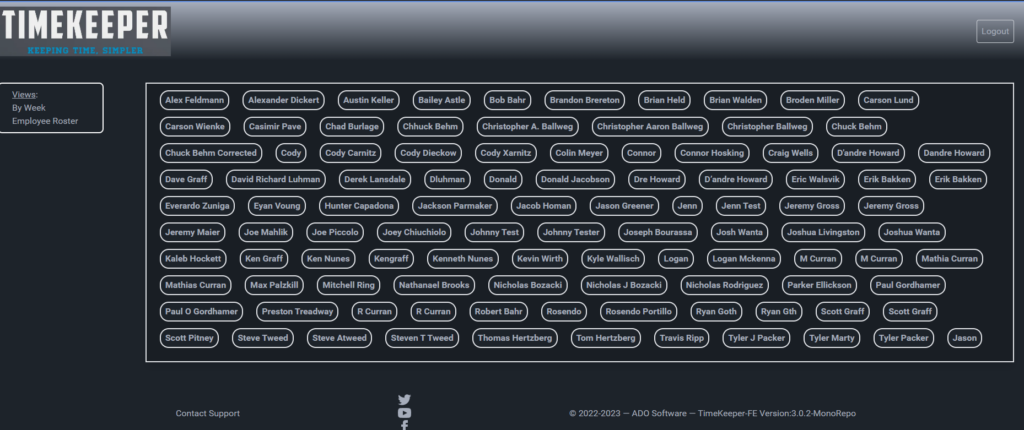
Two of the better ideas I had as far as design are concerned are the week selector and the roster view. They function similarly in how the template generates them, but stylistically are distinct.
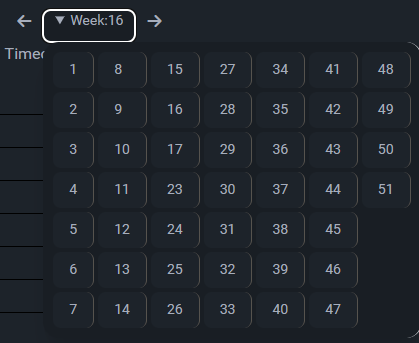
The week selector is a dropdown that shows all weeks that have data entered for them within the previous 52 weeks. It also has arrows that allow you to effectively page through the weeks, with working rollover from week 52/53 to week 1, and vise versa. This is an example of something that’s simple in abstract, but trying to accomplish it programmatically is rather complex
The roster view is a useful way to view all the timecard submissions from a particular team member. If someone requests their data, or there’s a payroll dispute, being able to quickly sort the data without clicking through dozens of pages is essential.
Swipe Here
This is a rather recent project I volunteered to build pro-bono while doing the ‘React: Front to Back’ course on Brad Traversy’s site. I work at a college, and our Gateway to College program was having issues with their magnetic stripe reader (MSR) that they use for gathering student attendance. Because they’re high school students, and transitioning to college rather than being fully enrolled, things like grant funding, state and federal aid allotments are unique to this program and require special reporting.
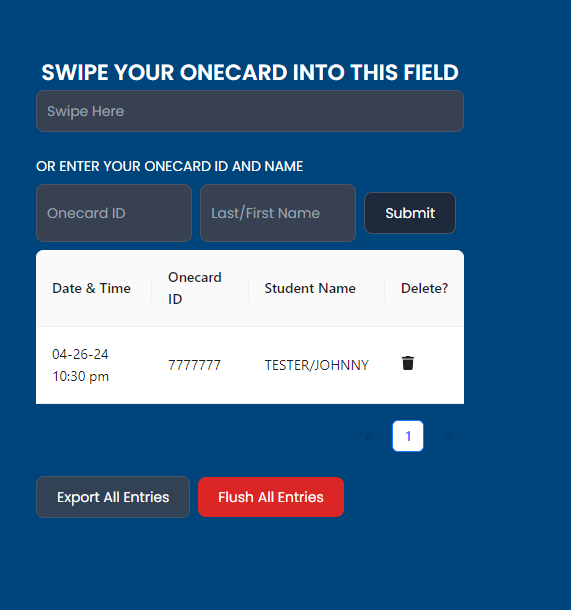
To make a short story long, the staff were using an excel sheet to capture the data, and manually copy/pasting the desired data out of the messy MSR capture. (Looks like this: %B6032350001420049^TESTER/JOHNNY ^4912120000002019981 000 ? | Italics are the values we want) I built an app to collect the data, parse out the important bits, and return it as a CSV when the staff were ready to submit the data to IRE (Institutional Research & Effectiveness)
You can view the demo at https://swipehere.ado.software. This is just a demo, please don’t enter student information into it. FERPA and all that.
Wolfpack Cupboard Form
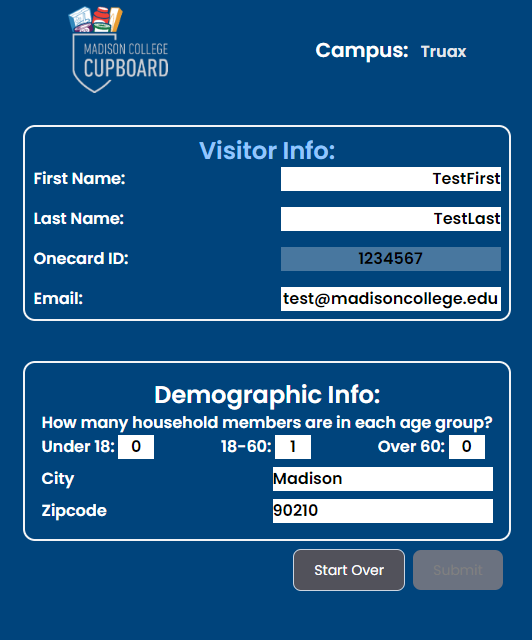
In the same theme as Swipe Here, a department at the college needs to collect specific data for external reporting. The foodbank that supplies our student-only food pantry uses 1/4-sheets of paper and golf pencils to manually jot down details. I applaud the work they do, and keeping students fed is a virtuous use of their time, but a lot of time is sunk into digitizing the data, manually sending emails to new visitors with resources on food insecurity relief, and organizing the data for reporting.
My goal is much the same as Swipe Here. Gather the required data, ensuring it’s normalized (not redundant) and efficient, then make it accessible to staff in a useful, convenient format. The admin panel isn’t even designed yet, let alone to the coding-stage yet, but it’s a work in progress and is coming along swimmingly.
Crafting Hobbies
3D Printing
My birthday was in January, and after gifting me the Prusa MK3S that ignited my passion for additive manufacturing, my mother bought me the fastest consumer-grade 3D printer on the market: the X1 carbon by Bambu Labs. It’s built into it’s own enclosure, does automatic bed-leveling, and with the AMS (Automatic Material Selector), it can do up to 4 colors on a single print bed. On the matter of where to put it, I’d given my TV away to a friend whose apartment building had a fire and he lost everything, so getting rid of the TV stand it was on was the logical next step.
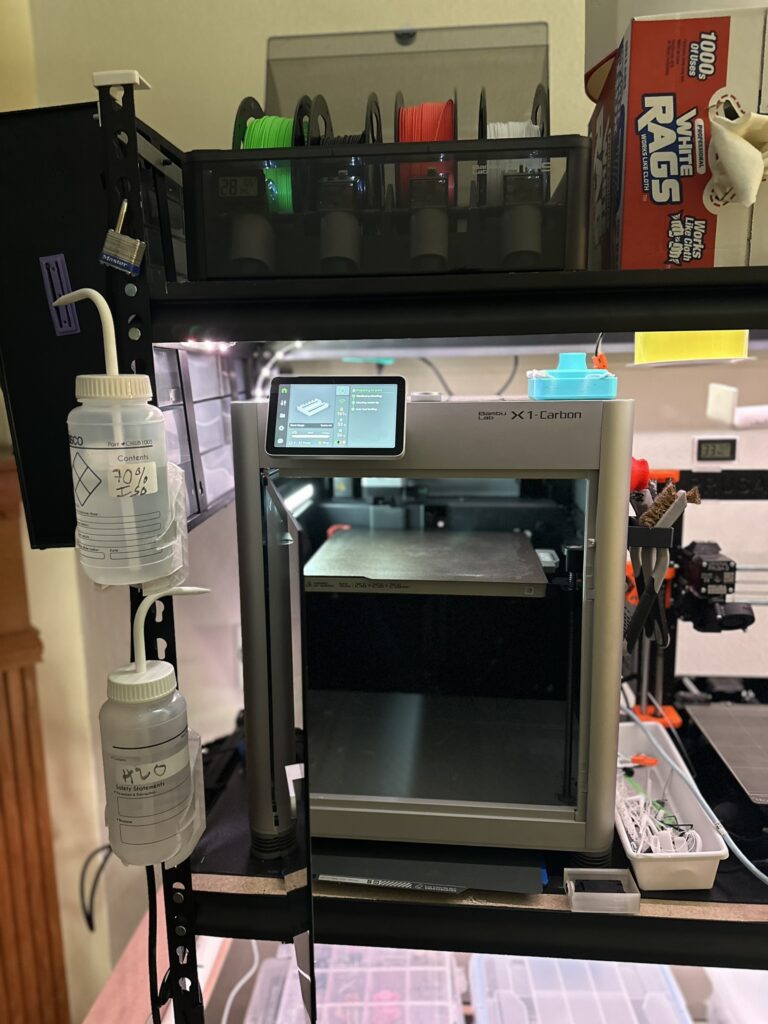
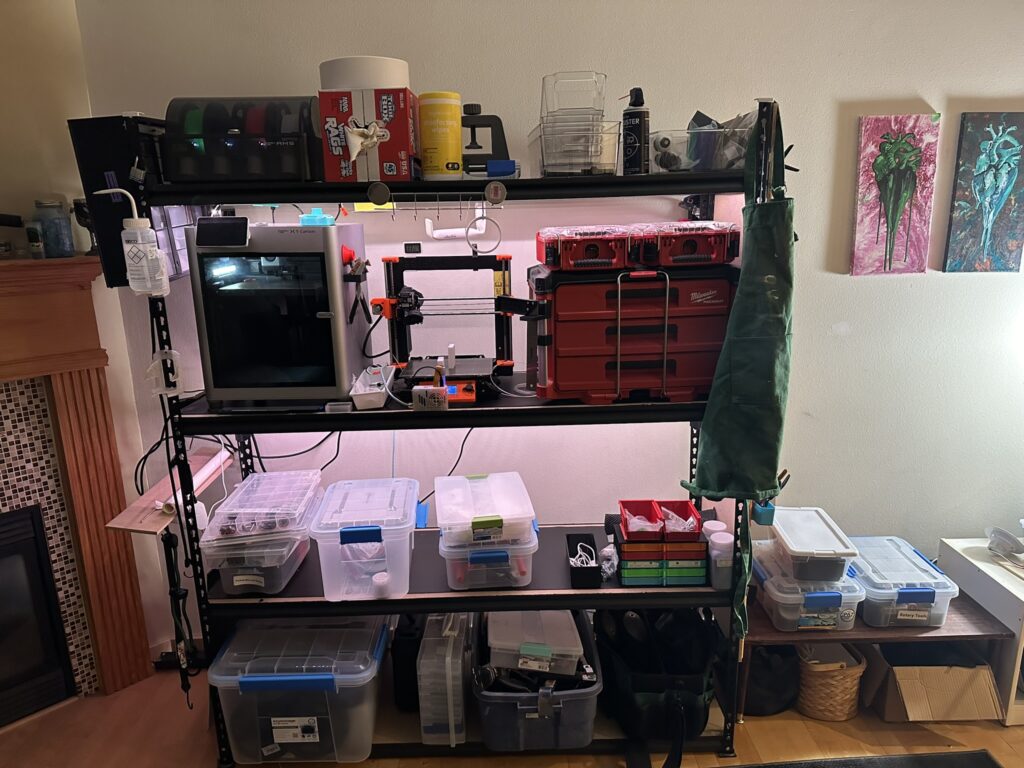
Where the TV was, now stands my Maker Rack. I’ve printed a full endcap worth of Honeycomb Storage Wall panels and store my most frequently use hand-tools there. I had to draft and print brackets to attach it to the wall due to the lateral momentum of the printers causing the rack to visibly wobble when the X1C is printing. I’m rather proud of the setup, although I no longer have a convenient contrivance for spending time with friends “watching TV”. I don’t entertain much (other than myself, which is becoming more difficult as I get older) so it’s not a huge loss, but with the falling number of “third places“, finding excuses to spend time with friends is a challenge.
As I wrap up this journey through the highlights of the past few months, it’s clear that a lot has been accomplished and many lessons have been learned along the way. The road ahead may be filled with twists and turns, but one thing is for sure – I’m ready to tackle whatever comes my way with determination, dashing good looks, and a sparkling wit. Thank you for joining me on this ride, and here’s to even more exciting adventures in the future! Stay tuned for what’s next – I have a new hobby (or extension of an existing one) and a home improvement project to share that just didn’t fit into this post.