
ToolKeeper has been updated to V1.1.6! We moved into Alpha user testing last week and have been polishing the feature set that our nascent userbase has been testing daily.
Updated This Week:
- Service Assignment Settings Page
- Dashboard Refactoring
- Logging and Error Handling
- Search By Category option
- Printer Friendly Report generation
Service Assignment Settings Page:
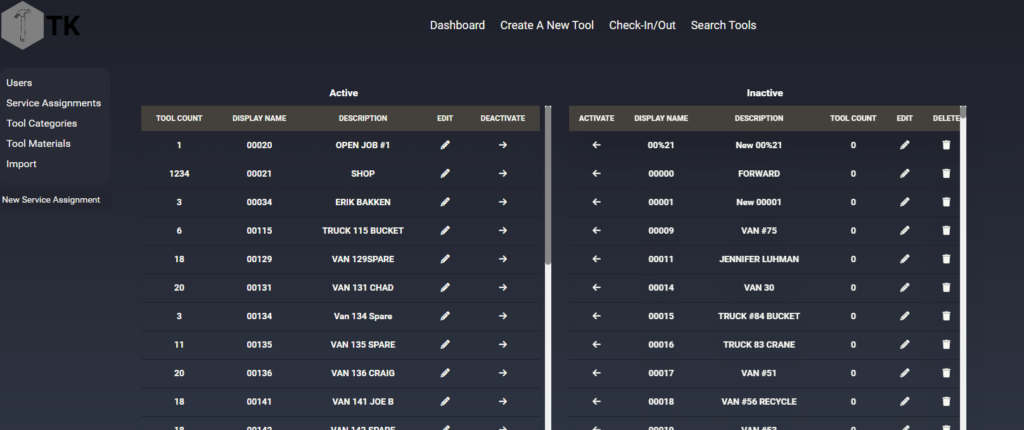
The service assignments settings page has been reworked to two columns, active and inactive. I don’t have any screenshots but previously it was one large table, with pagination buttons (next, last, numbers) at the bottom. As the active list is pretty short comparatively, but the inactive SAs need to remain for Tool Histories to have reference points, this allows us to keep both without forcing users to dig through 700 inactive items to find the one they need.
It also includes arrows as the screen-centered column for both tables, allowing users to activate and deactivate SAs with one click, rather than having to open the item, click a slider, and save the item. 66% fewer clicks!
Dashboard View Refactoring:
The dashboard was similarly refactored to a y-axis scrolling frame between the header and footer. It now eschews the paginated model for the infinite scrolling model, which does slow down the page load, but on the whole saves the user time from having to click through 30 pages to find their item.
Logging and Error Handling:
Users won’t see the first half of this sprint, but logging has been improved to include better time/date tracking of events, saving things to a bind-volumed file from the docker daemon so we can track errors and issues better. The half that users will see is the error handing class. When an uncaught exception would have occurred last week, it is now caught by a custom error handler that returns the HTTP status code, error message, and stack trace to the user and does not terminate the process due the exception. Users can either navigate back a page and change the values they submitted, or report the issue to support so we can patch the exception root cause.
Search By Category Option:
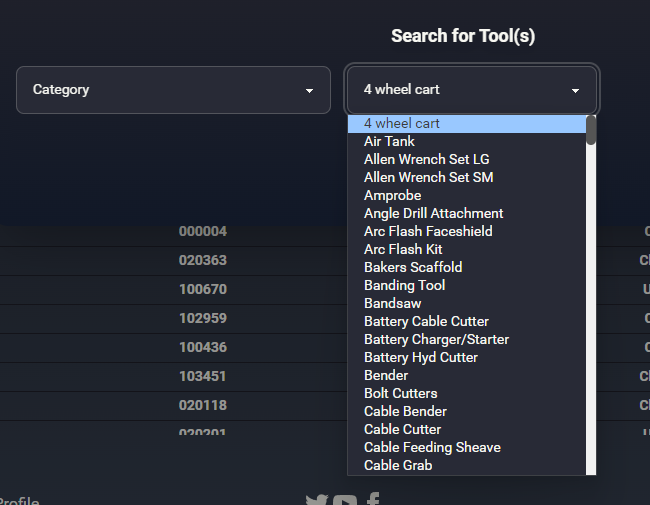
Search by category has now been added, so users can search for the kind of tool they need and find one to redeploy from one site to another.
Print-friendly Reporting:
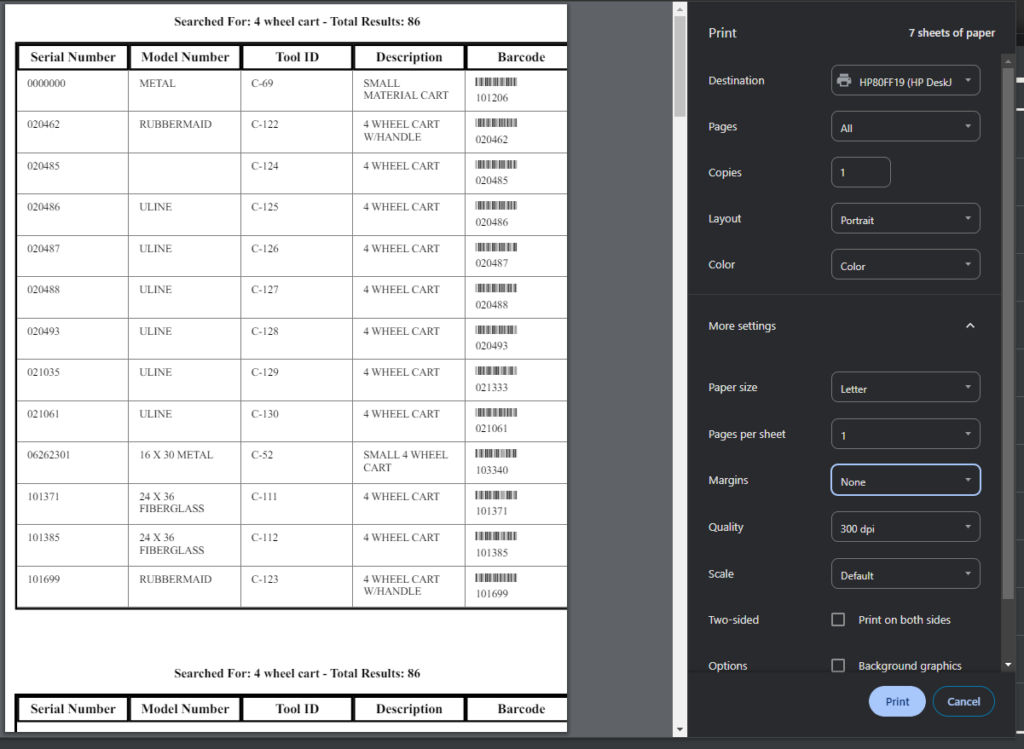
It was reported during the development of the project that being able to print a list of tools left at jobsite was essential functionality. The shop staff would print a list of the items left to be returned, provide that list to a shop staff member with a barcode scanner, and send them to go look for the rest of the assets that needed to be recovered.
On the dashboard page, as well as any search results page, there is a printer icon in the fixed-header that will open (on a new tab) the generated report. This includes the barcode as both a numeric value and the barcode itself, to make checking in the contents of the report easy and fast!
Conclusion
In conclusion, the changes implemented in our software project midway through alpha testing are a testament to our commitment to delivering a top-notch product. By embracing feedback and making necessary adjustments, we are ensuring that our final release will exceed expectations. We appreciate the patience and support of our users throughout this process and look forward to sharing the completed project with you soon. Stay tuned for more updates as we continue to refine and enhance our software for an exceptional user experience.